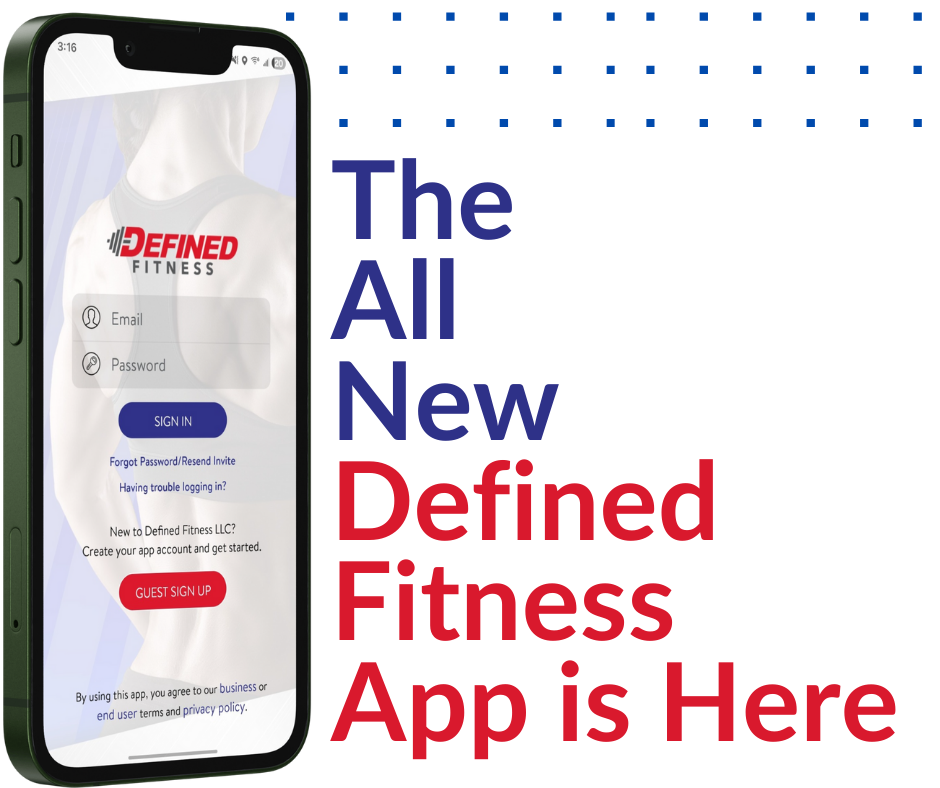
Meet the all-new Defined Fitness App. Your fitness journey, now in the palm of your hand. Designed for convenience, built for flexibility, and personalized just for you, our new app unlocks a faster, smarter, more connected way to stay on track with your goals
Overview
What Can I Expect From the New Defined Fitness App?
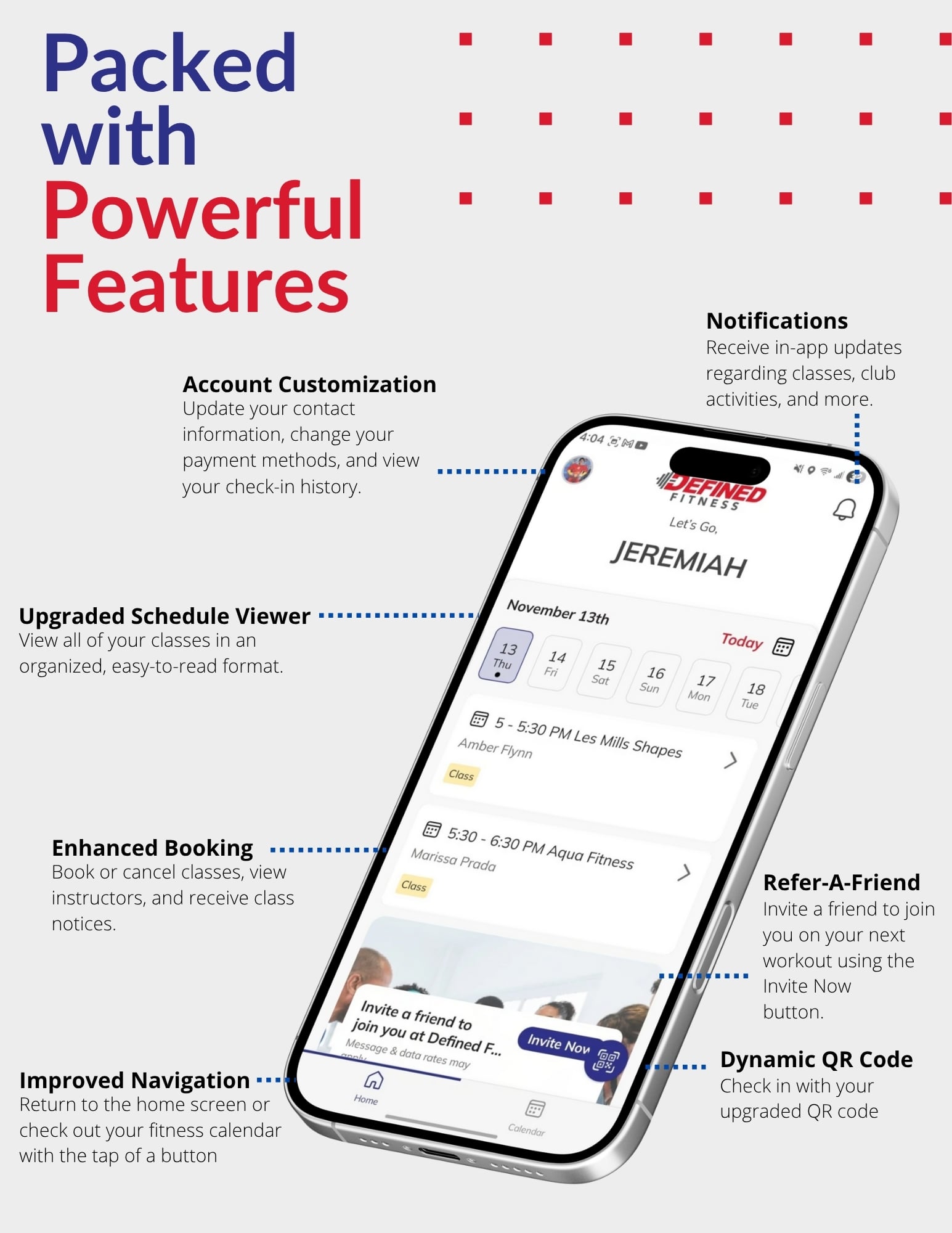
With seamless check-ins, effortless class booking, real-time account access, and direct club communication, staying connected to your fitness routine has never been easier. Whether you’re managing your membership, checking your schedule, joining Group X, or referring friends, the new Defined Fitness App keeps everything you need just a tap away.
Download today and experience:
- Dynamic Secure Check-In
- Instant Connection to Your Club
- Easy Group X Booking
- Personalized Fitness Schedule
- Complete Membership Management
- Real-Time Club Notifications
- In-App Purchases & Self-Service Options
- Refer-A-Friend Tools AND so much more!
Powered by ABC Ignite, our new app simplifies your entire membership experience. Giving you full control, more convenience, and a digital fitness hub tailored to YOU.
Your fitness. Your schedule. Your club, now all in one place. Download the new Defined Fitness App and get started today!
How to Access the New Defined Fitness App
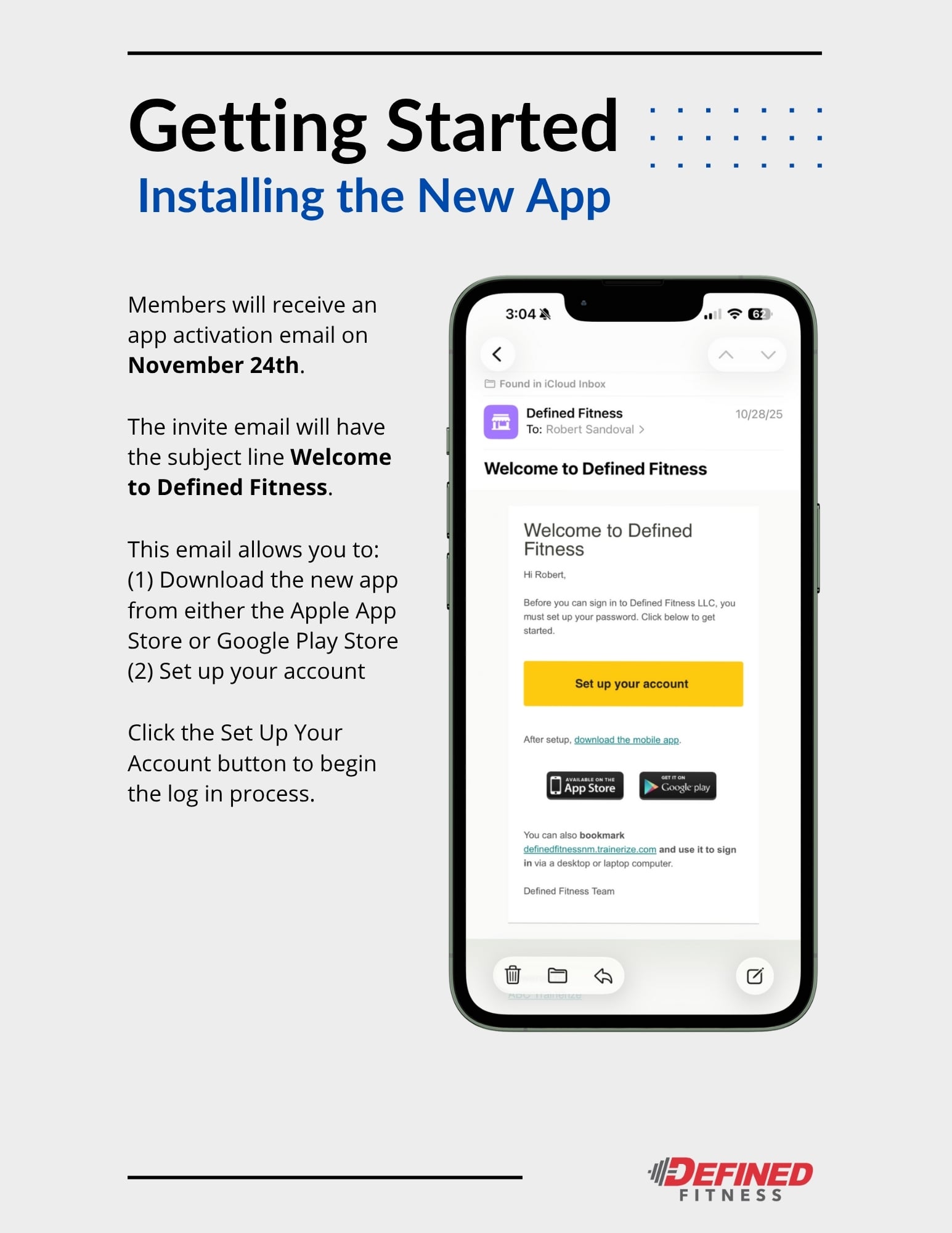
On November 24th, 2025, all Defined Fitness members will receive an app activation email that lets them download the new app and set up their digital account.
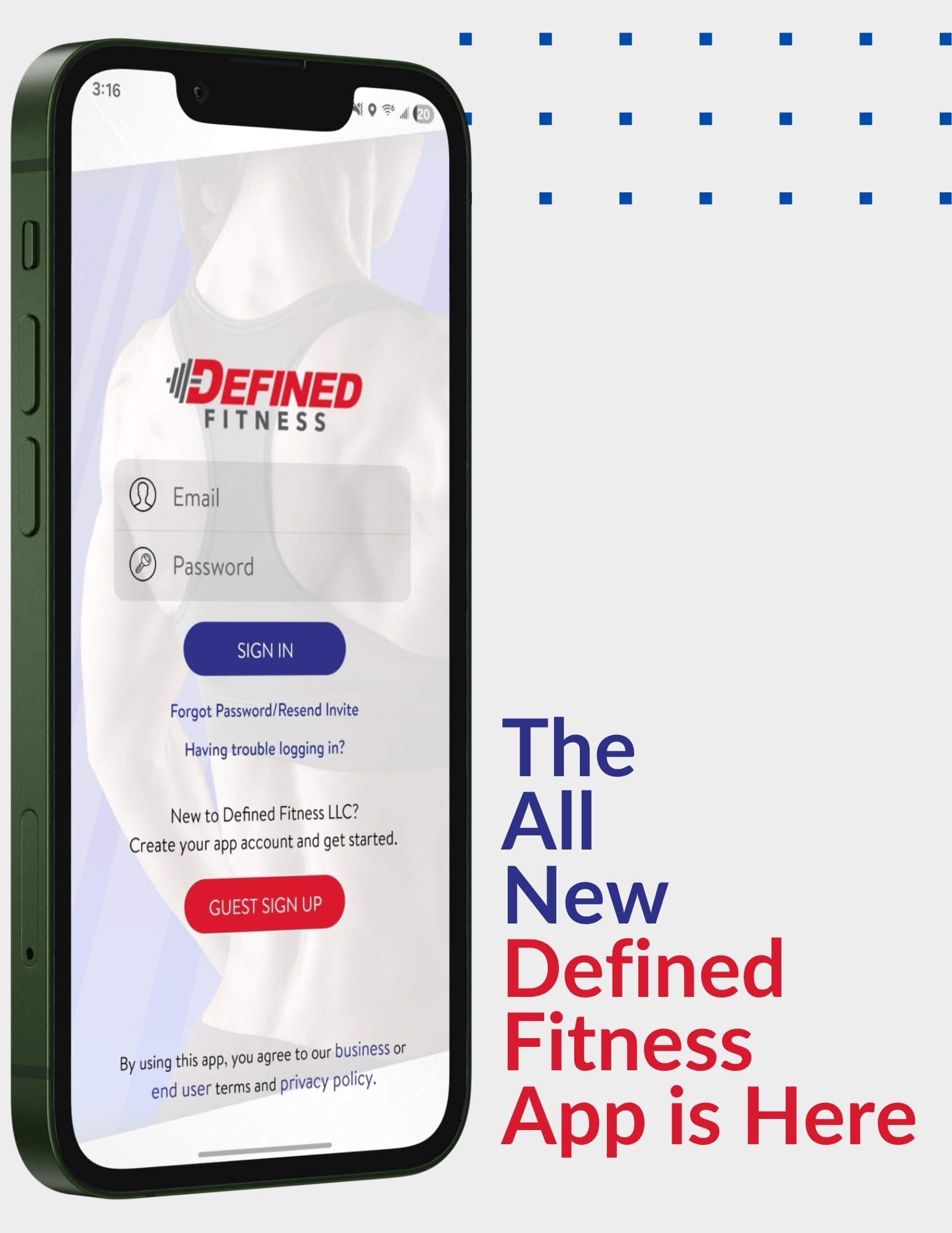
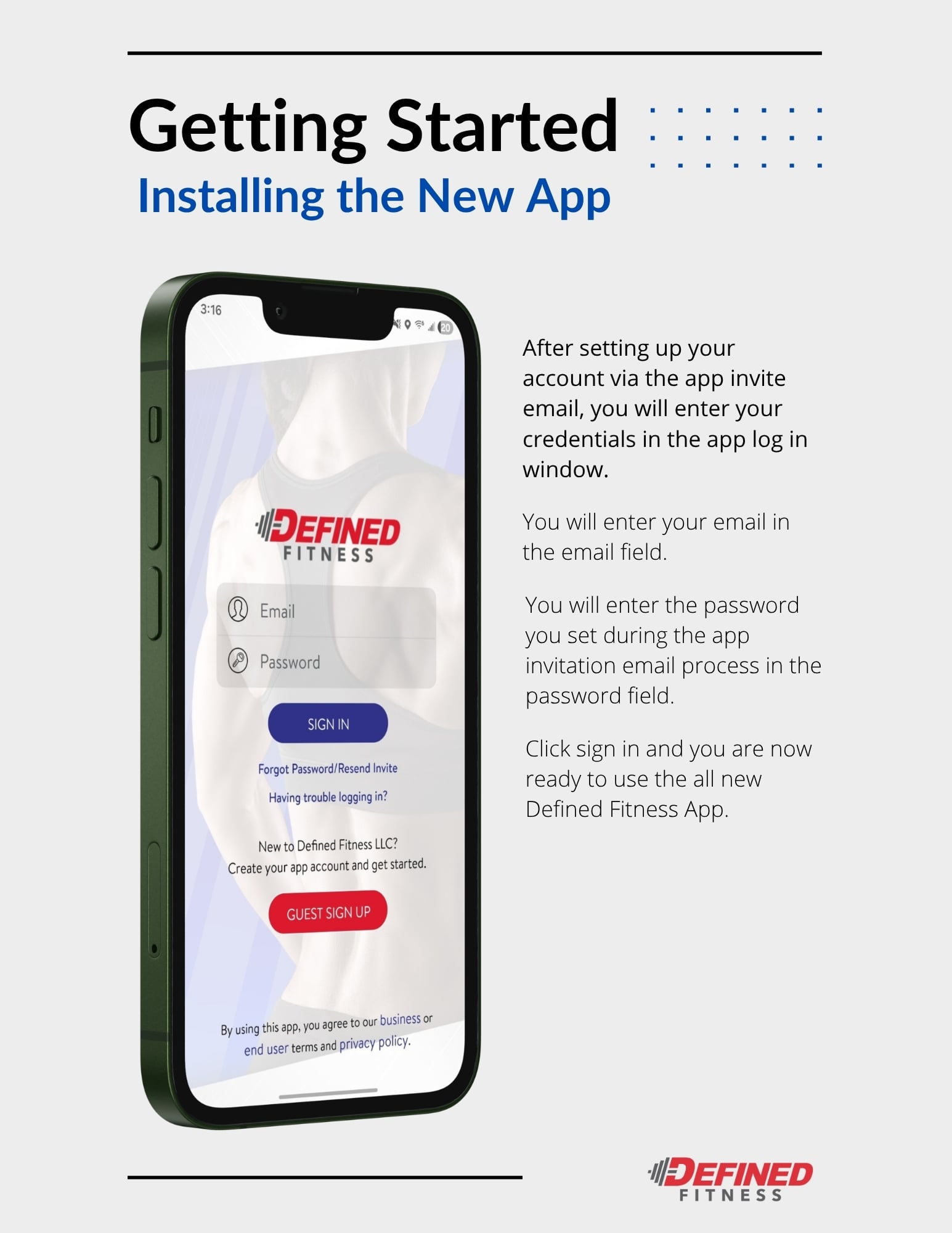
When you open the new app, you’ll land on the login page. Use the credentials you created during the activation process, and you’ll be taken straight into the new Defined Fitness app.
When Is the New Defined Fitness App Releasing?
Our public launch day is scheduled for November 24, 2025 ! Please ensure your email is accurate at the front desk prior to the launch date.
What Is the Difference Between Defined Fitness LLC Vs. Defined Fitness Apps?
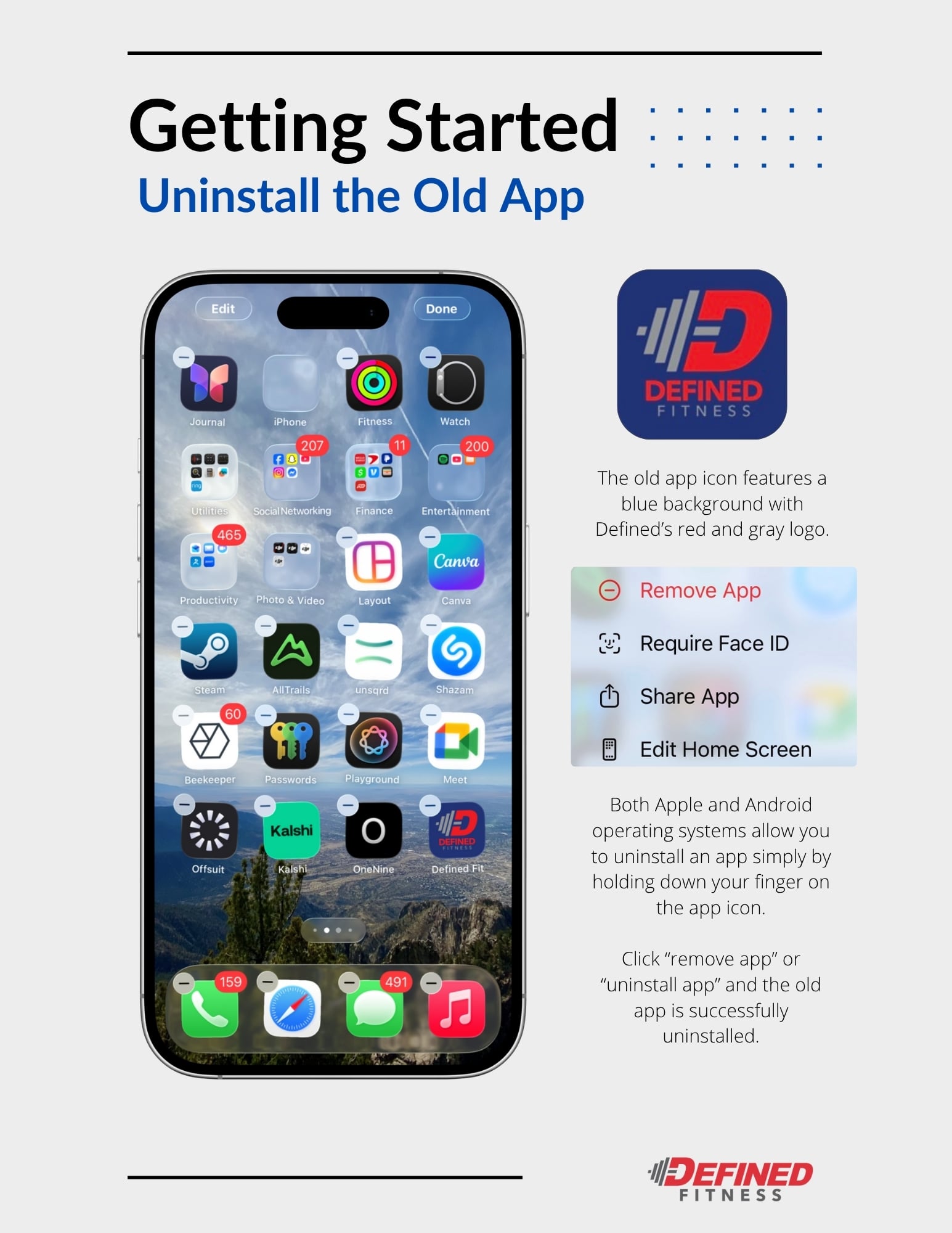
Currently, you can see two different Defined Fitness apps on the App Store and Google Play.
To be clear, Defined Fitness LLC is the new app , with the developer being Ignite Engagement 1 .
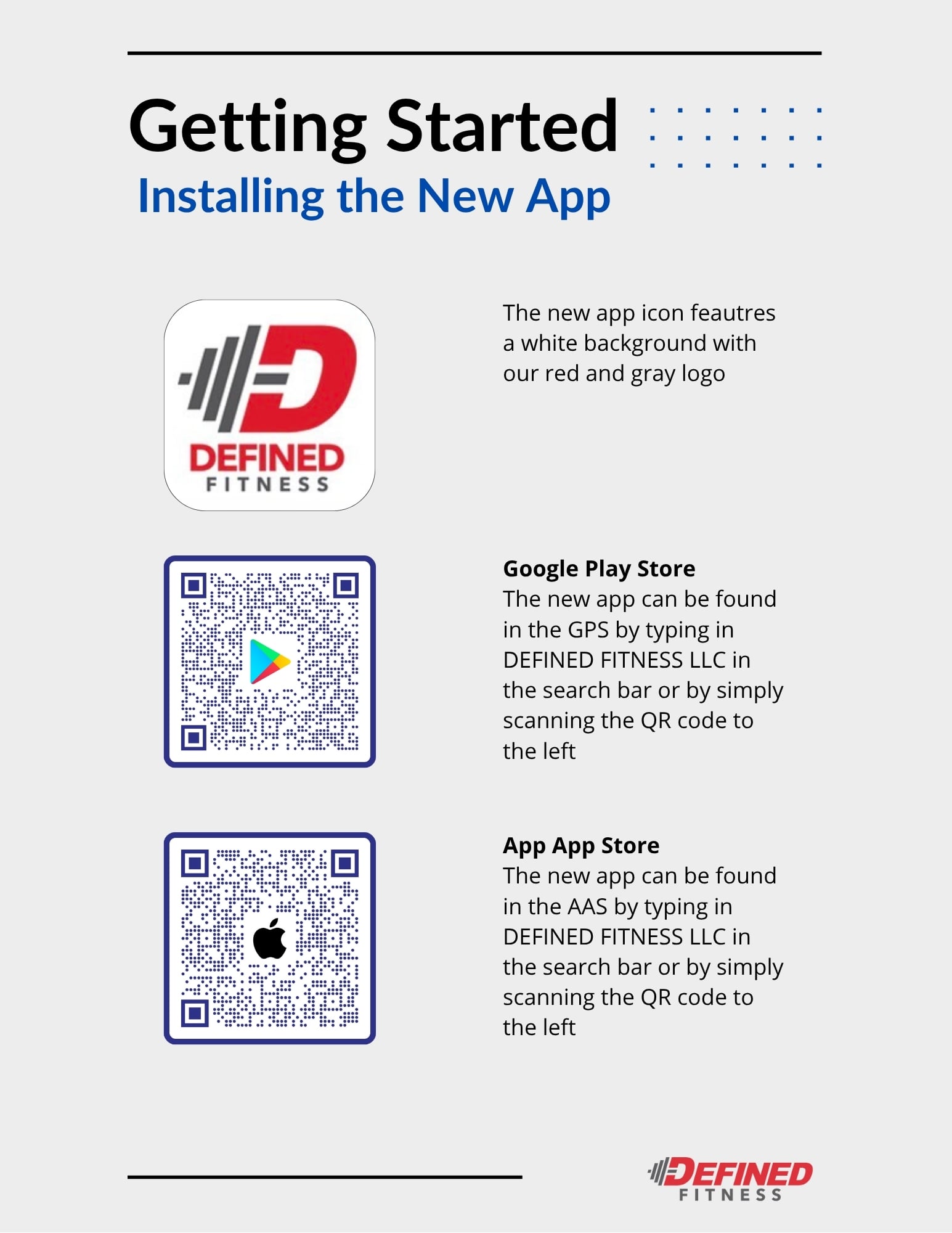
Our older app is titled Defined Fitness , and the developer is EGYM .
How Will the New App Change How I Sign Up for Classes at Defined Fitness?
If you’re interested in taking classes at Defined Fitness, you’ll need to download and use the new app to sign up for new classes.
Going forward, we’ll be offering class sign-ups exclusively on the app and retiring our old paper sign-in sheets.
FAQs
Account Access and Login
Does the invitation email expire? Yes. The invitation email expires after 30 days.
Can I log in without receiving an invitation email? No. You must receive an invitation email to set up and access your account. All members with a current email address on file automatically receive one.
Why did I not receive my invitation email? You may not have received your invitation email for one of the following reasons: • Your email address may contain a typographical error. • The email may have gone to your Junk or Spam folder. • Your invitation email may have expired. • Your email provider may have blocked the automated message.
If you do not see the email, please add noreply@trainerize.com to your safe sender list.
Can members share an email address? No. Each member must use a unique email address.
If my email address was updated, will my invitation be sent to the new email? Yes. The invitation will be sent to the updated email associated with your member account.
What are the password requirements? Passwords must have at least eight characters and include at least one letter and one number.
Using the Defined Fitness App
Will I need to log in every time I open the app? No. After your initial login, the app will automatically open to the home screen.
Will I see a welcome message when I sign in for the first time? Yes. A series of introductory slides will appear, including your barcode and notification settings.
How does the Refer a Friend link work? You can invite friends and family to try Defined Fitness directly from the app. Tap the Refer A Friend link, select your contacts, and send. Referred friends will receive a free 7 day trial offer from you.
Can I connect to other fitness apps such as Apple Health, Fitbit, or MyFitnessPal? Not at this time.
How do I add a profile picture in the app? Tap the profile circle in the top left corner, select the camera icon, then choose Take a Photo or Pick from Library. Adjust your photo and select Save.
Please note that profile photos in the app are used only within the app. They do not update your official Defined Fitness member profile. A photo on file is still required for identification.
Are the icons or home screens customizable? You will see links and images added by Defined Fitness. Other elements of the home screen are not customizable at this time.
Notifications and Communication
Will I see a new message indicator for unread notifications? Yes. A red dot will appear until the notification is opened.
Can I filter, delete, or search app notifications? Notifications can be filtered as read or unread. They cannot be deleted, saved, or searched.
Will I receive notifications for class or appointment reminders? Yes. Reminder timing can be adjusted in your settings. The default reminder is 10 minutes before the start time.
Will I receive notifications for updates such as challenges, new amenities, or class cancellations? Yes. Push notifications will be sent for closures, cancellations, maintenance, and other relevant club updates. You must opt in to receive club notifications.
GX Classes and Scheduling
How early can I book a Group X class? Group X classes can be booked up to 12 hours before the class start time.
How do I book a Group X class? You can book a class in two ways:
Choose an available class from your home screen and select Book. You will receive an email confirmation and the class will appear in Things To Do.
Go to Find A Class and use filters such as location, instructor, time of day, or class type. Select your class and then select Book. You will receive an email confirmation and the class will appear in Things To Do.
Will my booked classes appear in the calendar tab? Yes. Any booked Group X classes or scheduled personal training sessions will appear in your calendar.
How do I cancel a booked class? Open your booked class, select Cancel, and confirm. You will receive a notification once the class is successfully canceled.
When do I need to cancel a booked class? Members may cancel up to 5 minutes before the scheduled start time. This allows another member the opportunity to reserve the spot.
Will I be notified if an appointment or class is canceled? Yes. You will receive a notification if a class you are booked for is canceled.
Can I sign up for back to back classes? Yes. You can book classes individually as long as each class is within its booking window.
Will I show as checked in for class when I scan into the club? Yes. If you scan into the club within one hour of the class start time, your reservation will automatically show as checked in.
Can I check in for a class after it begins? No. You must check in before the class start time.
Will there be a waiting list for full classes? Yes. If a waitlist spot becomes available, you will receive an alert. You must book the class to claim the open spot. Waitlist spots are limited and filled on a first come, first served basis.
If I do not attend a booked class, will my spot be given to another member? No. Members are not automatically removed from a class. You must cancel your reservation to release your spot.
Will members see who else is in the class? Members will only see the total number of participants booked, not their names.
Personal Training
Will my scheduled personal training sessions appear in the app calendar? Yes. They will appear on the home screen under Things To Do and in the Calendar tab.
Can I see how many personal training sessions I have available? Yes. You can view your available session balance under Session Balance in the My Account tab.
Can I view expired personal training sessions? No. Sessions that have been redeemed or expired are removed from your balance.
Will my personal training sessions appear under Things To Do? Yes. Both scheduled personal training sessions and booked Group X classes will appear in this section.
My Account
Will my app profile picture appear in my Defined Fitness account? No. Profile pictures in the app do not replace your official member profile photo.
Can I update my profile information in the app? Yes. You can update your name, email, phone number, emergency contact, and personal details directly in the app.
Can I view my check in history? Yes. You can view your check in history under My Account. The default view shows the past two weeks, and you may select a custom date range.
What are recurring services? Recurring services include any active ongoing service on your account, such as recurring training packages.
Can I add or update my payment method in the app? Yes. Go to My Account → Payment Method and select Add or Edit.
Will I be notified if my card on file expires or if my account is past due? Yes. The app will notify you. You can update your card and make payments directly through the app.
Can I make in-app purchases? Yes. You may purchase services such as personal training sessions, locker rentals, and Team Training. Additional services will be added over time.
Will I be able to see my account payment history? Yes. Payment history for both membership dues and in club transactions is available in the app.
Will I be able to review my membership information? Yes. You can view your membership status, type, start date, agreement term, and home club. You can also download a PDF copy of your membership agreement.
Can I freeze my membership? Yes. Go to My Account → Membership → Manage. You may freeze your membership for one month if your account is in good standing. A $10 freeze fee applies. One freeze is allowed per year. Complete terms are outlined in your membership agreement.
Can I cancel my membership? Yes. Go to My Account → Membership → Manage. You may cancel your membership through the app. Any applicable fees must be paid before cancellation is completed. Terms are outlined in your membership agreement.
Member Support
How do I contact Membership Support? You can call or email our Member Services team directly under My Account → Support.
Can I submit suggestions for app features? Yes. You may submit feature suggestions through the website link provided in the app.
Will I have access to an app tutorial or reference guides? Yes. Instructions and guides are available on the Defined Fitness website at defined.com.
Update Your Email at Your Local Defined Fitness Club
If you’re ready to experience our new app, you’ll need to visit one of our clubs to update your email. A member of our staff at the front desk will be happy to answer your questions and help you update your email. Once you’ve done so, follow the instructions listed above to download, activate, and use the app.
Download the new Defined Fitness app from Google Play or the App Store today! If you have any questions about the app, please contact us .